HTTP Service
An HTTP Service (type rws, short for remote web service) mounts an existing HTTP API at a path under /api/v2/. Requests to that path are forwarded to the remote base URL with the same method, path, query string, and body, and the response comes back unchanged. On the way through, DreamFactory applies its own authentication, role-based access, rate limiting, caching, and audit logging, and can inject credentials so they never reach the client.
Typical uses:
- Hide third-party API keys. Callers use a DreamFactory key. The vendor key is stored once in the service config.
- One front door for many APIs. A mobile app or agent talks to a single host and a single auth scheme.
- Add governance to an internal API that has none, without changing it.
- Compose remote APIs with databases and scripts through API Builder and event scripts.
Everything on this page was verified against DreamFactory 7.7 using https://httpbin.org, a public echo service that returns whatever it receives. It is ideal for confirming what DreamFactory actually sent.
Create the service
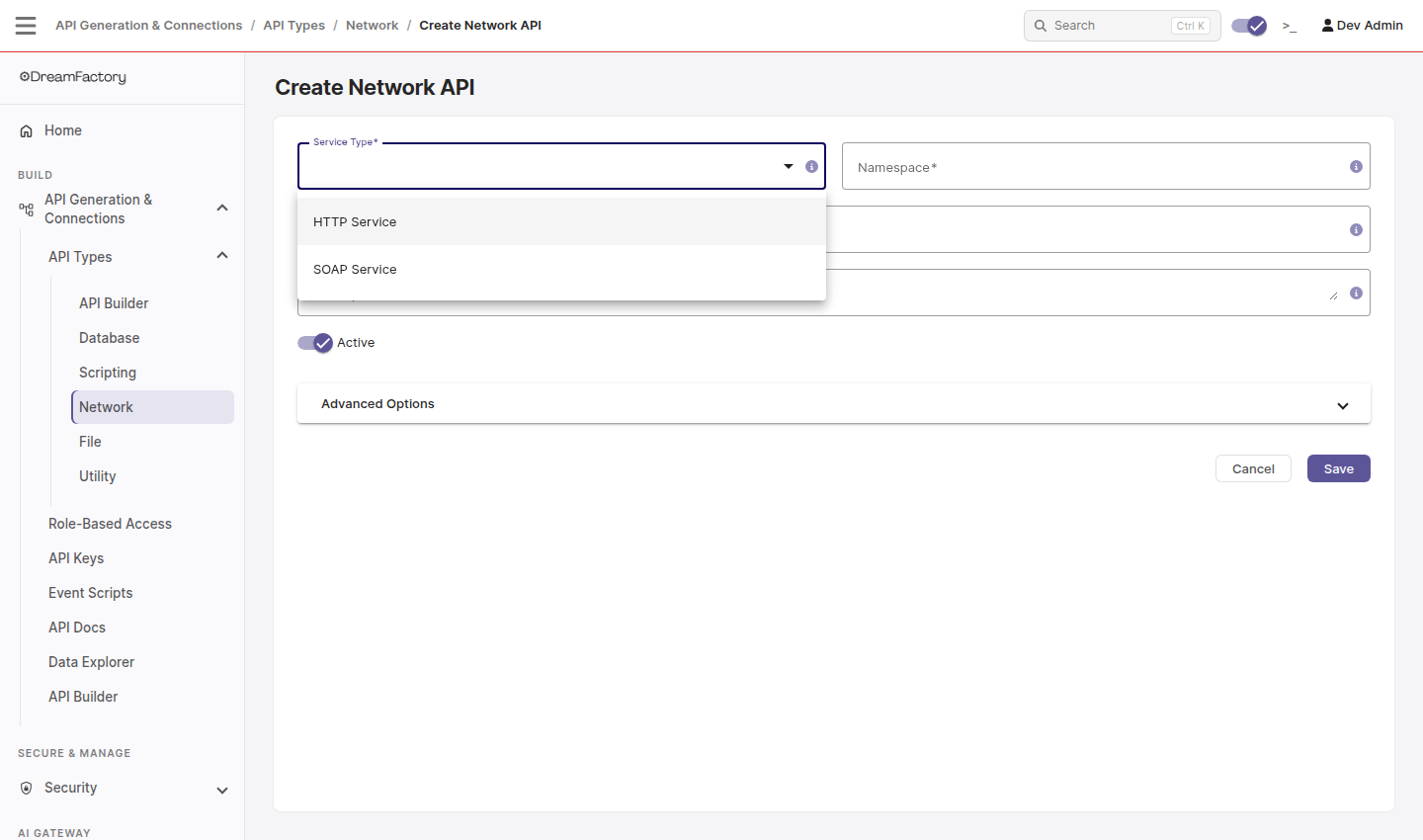
Go to API Generation & Connections > API Types > Network, click +, and choose HTTP Service.
| Field | Value |
|---|---|
| Namespace | URL segment for the API, for example httpbin. |
| Label | Display name. |
| Base URL | The remote root, for example https://httpbin.org. Everything after the namespace in a DreamFactory request is appended to this. |
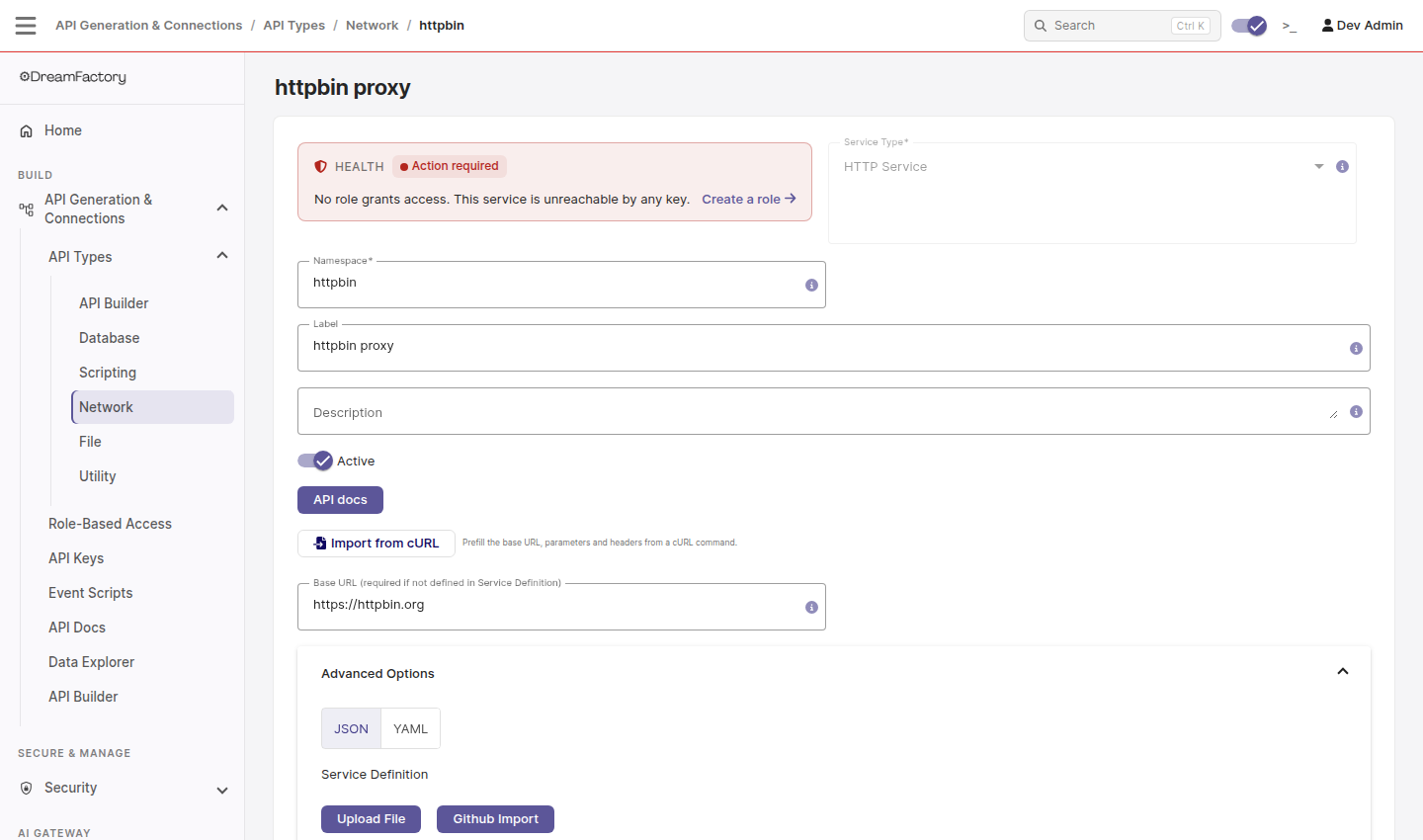
Click Save. The service works immediately. The red HEALTH box in the screenshot only means no role grants access yet, which is covered below.
If you already have a working curl command for the remote API, click Import from cURL and paste it. DreamFactory fills in the base URL, query parameters, and headers for you.
Creating the service by API
curl -X POST "https://YOUR_DF_HOST/api/v2/system/service" \
  -H "X-DreamFactory-Session-Token: $TOKEN" \
  -H "Content-Type: application/json" \
  -d '{
    "resource": [{
      "name": "httpbin",
      "label": "httpbin proxy",
      "type": "rws",
      "is_active": true,
      "config": {
        "base_url": "https://httpbin.org"
      }
    }]
  }'
Call the API
Anything after the namespace is forwarded. A GET to /api/v2/httpbin/anything/users?limit=2 becomes a GET to https://httpbin.org/anything/users?limit=2.
curl "https://YOUR_DF_HOST/api/v2/httpbin/anything/users?limit=2" \
  -H "X-DreamFactory-API-Key: $API_KEY"
httpbin echoes the request it received, so the response shows exactly what reached the remote:
{
  "method": "GET",
  "url": "https://httpbin.org/anything/users?limit=2",
  "args": { "limit": "2" },
  "headers": { "Accept": "*/*", "Host": "httpbin.org" }
}
POST, PUT, PATCH, and DELETE work the same way, and JSON bodies are forwarded as-is:
curl -X POST "https://YOUR_DF_HOST/api/v2/httpbin/anything/users" \
  -H "X-DreamFactory-API-Key: $API_KEY" \
  -H "Content-Type: application/json" \
  -d '{"name": "Mike"}'
Parameters and headers
Under Advanced Options you can add query parameters and headers that DreamFactory attaches to every outbound request, and control what client-supplied values are allowed through. This is where API keys for the remote service belong.

Each Parameter row has:
| Column | Meaning |
|---|---|
| Name / Value | The query parameter to add. |
| Outbound | Send this parameter to the remote service. On for almost every row. |
| Exclude | Treat this row as a rule about a client-supplied parameter of the same name rather than a value to add. With Exclude and Outbound both on, the client's parameter is stripped before the request leaves DreamFactory. |
| Cache Key | Include this parameter when building the cache key, if caching is enabled. |
| Verbs | Which HTTP methods the row applies to. |
In the screenshot, source=dreamfactory is added to every request, and any secret parameter a client sends is removed. Verified result for a client call of ?limit=2&secret=hide:
https://httpbin.org/anything/users?limit=2&source=dreamfactory

Each Header row has:
| Column | Meaning |
|---|---|
| Name / Value | The header to add, for example Authorization: Bearer ... or a vendor key header. |
| Pass From Client | Instead of a fixed value, copy the header from the incoming client request if present. |
| Verbs | Which HTTP methods the row applies to. |
Example: a vendor API key
To proxy OpenWeather, set the base URL to https://api.openweathermap.org/data/2.5/weather and add a parameter named APPID with your OpenWeather key, Outbound on, Verbs GET. A client then calls:
curl "https://YOUR_DF_HOST/api/v2/openweather?zip=43016,us" \
  -H "X-DreamFactory-API-Key: $API_KEY"
and DreamFactory sends https://api.openweathermap.org/data/2.5/weather?zip=43016,us&APPID=... without the client ever seeing the vendor key. Services that authenticate with headers, such as RapidAPI's X-RapidAPI-Key, use a Header row the same way.
Add an API definition
An HTTP Service works without one, but DreamFactory then knows nothing about what lives behind the base URL. The API Docs tab is empty and roles can only grant all-or-nothing access. Pasting an OpenAPI document into Service Definition fixes both.
What you get from a definition:
- Generated docs. Every path and operation appears in the API Docs tab with parameters and schemas, and can be run from the browser.
- Per-endpoint access control. DreamFactory builds the role access list from the paths in the definition, so a role can be limited to
anything/userswhile another getsanything/*. - Discoverability for tools. API Builder, MCP, and any OpenAPI-aware client or code generator can see the operations.
- A contract. The definition documents what callers can rely on, independent of the remote vendor's own docs.
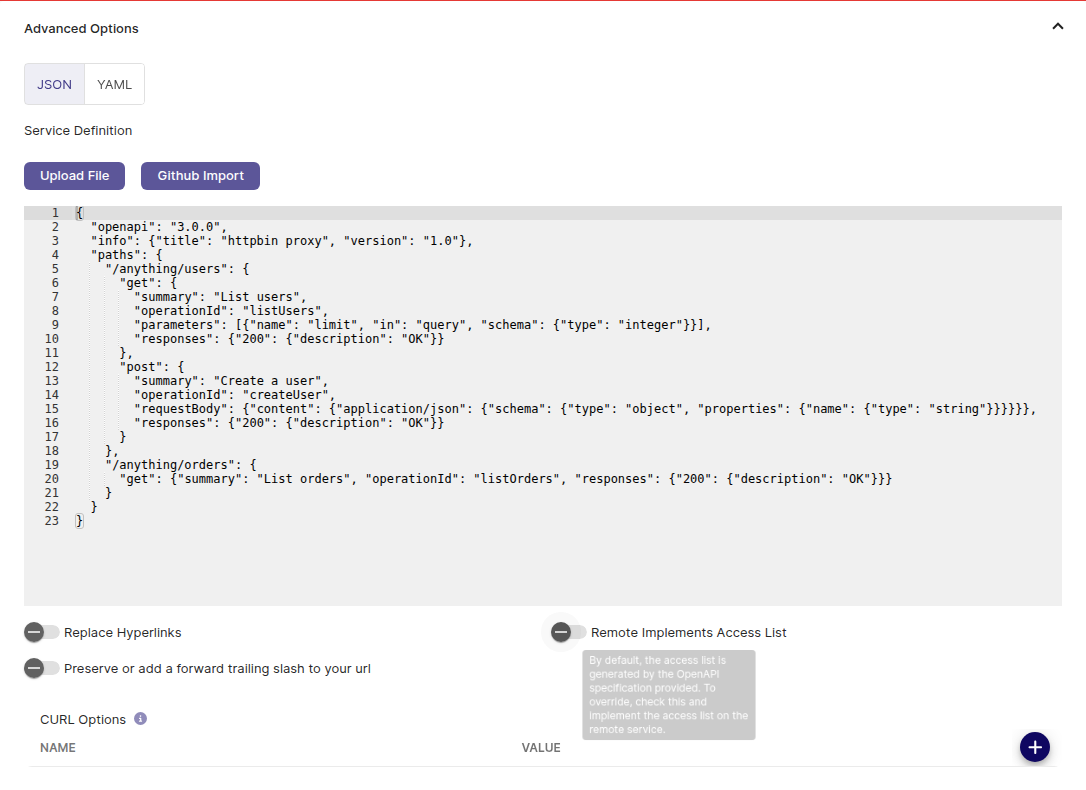
Choose JSON or YAML, then paste, upload a file, or import from GitHub. Paths are relative to the base URL. Here is the definition used for the httpbin example, ready to paste:
{
  "openapi": "3.0.0",
  "info": { "title": "httpbin proxy", "version": "1.0" },
  "paths": {
    "/anything/users": {
      "get": {
        "summary": "List users",
        "operationId": "listUsers",
        "parameters": [
          { "name": "limit", "in": "query", "schema": { "type": "integer" } }
        ],
        "responses": { "200": { "description": "OK" } }
      },
      "post": {
        "summary": "Create a user",
        "operationId": "createUser",
        "requestBody": {
          "content": {
            "application/json": {
              "schema": { "type": "object", "properties": { "name": { "type": "string" } } }
            }
          }
        },
        "responses": { "200": { "description": "OK" } }
      }
    },
    "/anything/orders": {
      "get": {
        "summary": "List orders",
        "operationId": "listOrders",
        "responses": { "200": { "description": "OK" } }
      }
    }
  }
}
The same document in YAML:
openapi: 3.0.0
info:
  title: httpbin proxy
  version: "1.0"
paths:
  /anything/users:
    get:
      summary: List users
      operationId: listUsers
      parameters:
        - name: limit
          in: query
          schema:
            type: integer
      responses:
        "200":
          description: OK
    post:
      summary: Create a user
      operationId: createUser
      requestBody:
        content:
          application/json:
            schema:
              type: object
              properties:
                name:
                  type: string
      responses:
        "200":
          description: OK
  /anything/orders:
    get:
      summary: List orders
      operationId: listOrders
      responses:
        "200":
          description: OK
After saving, the API Docs tab shows the three operations:
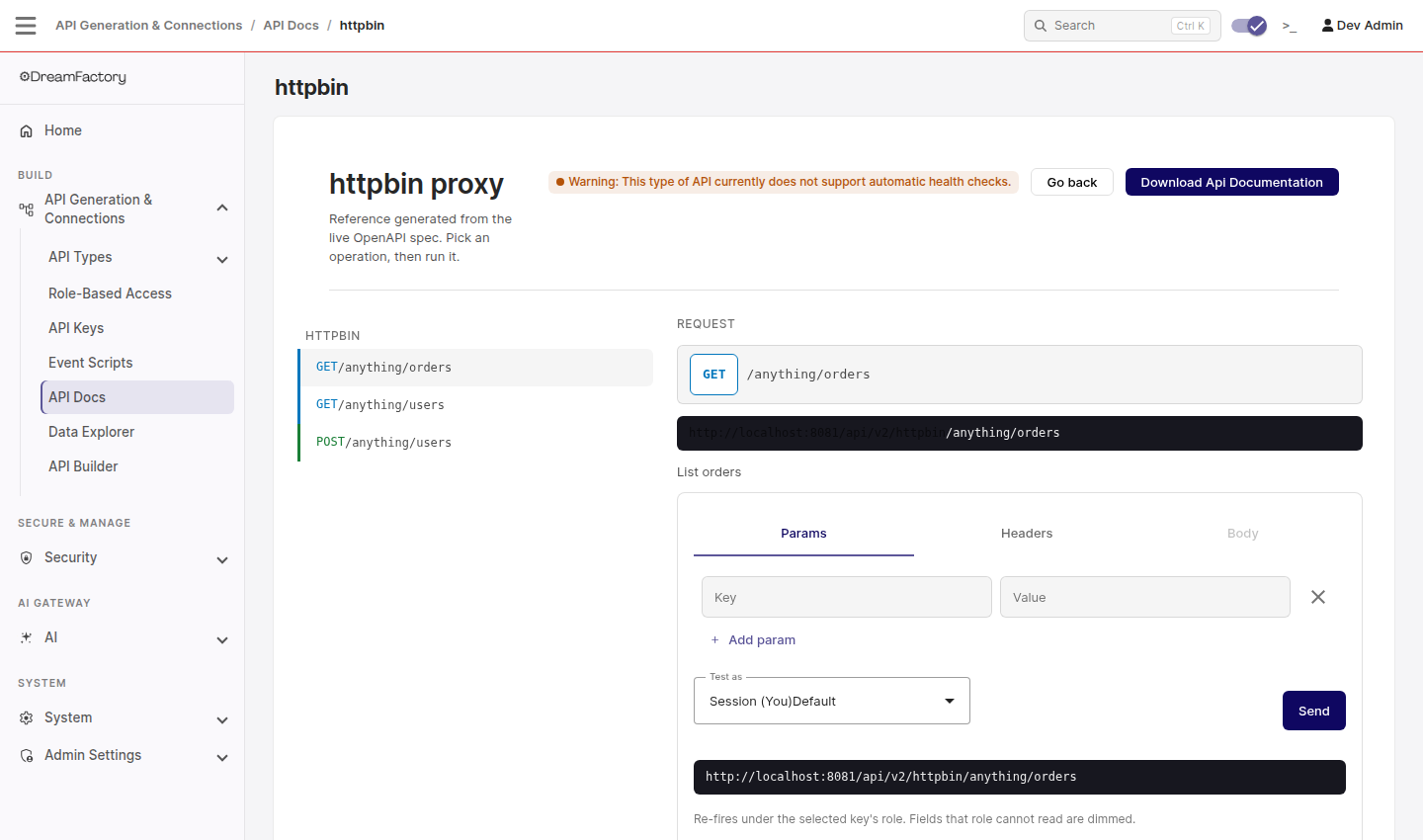
and the access list a role can choose from grows from * alone to:
curl "https://YOUR_DF_HOST/api/v2/httpbin?as_access_list=true" \
  -H "X-DreamFactory-Session-Token: $TOKEN"
{ "resource": ["", "*", "anything/*", "anything/orders", "anything/users"] }
Most vendors publish an OpenAPI or Swagger document you can paste in directly. Trim it to the paths you intend to expose. Only what is in the definition can be granted to a role by path, and only what a role grants can be called.
Attaching a definition by API
curl -X PATCH "https://YOUR_DF_HOST/api/v2/system/service/SERVICE_ID" \
  -H "X-DreamFactory-Session-Token: $TOKEN" \
  -H "Content-Type: application/json" \
  -d '{
    "description": "",
    "service_doc_by_service_id": {
      "format": 0,
      "content": "{ ...the OpenAPI JSON as an escaped string... }"
    }
  }'
format is 0 for JSON and 1 for YAML.
Secure the API
Create a role under Role-Based Access, add the HTTP service, and pick a component. With a definition attached, the component list contains each path from it. Assign the role to an API key.
Verified with a role limited to anything/users, GET and POST:
| Call | Result |
|---|---|
GET /api/v2/httpbin/anything/users with the key | Forwarded to httpbin. |
GET /api/v2/httpbin/anything/orders with the key | Denied. |
| Any call with no key | Denied. |
To grant everything behind the base URL, choose *.
Configuration reference
| Setting | Purpose |
|---|---|
| Base URL | Remote root. Optional only if the Service Definition includes a servers entry. |
| Service Definition | OpenAPI document, JSON or YAML. See above. |
| Replace Hyperlinks | Rewrite absolute links in the remote response that point at the base URL so they point at DreamFactory instead. Useful for HATEOAS-style APIs. |
| Remote Implements Access List | Ask the remote service for its access list instead of deriving it from the definition. Leave off unless the remote is another DreamFactory. |
| Preserve or add a forward trailing slash | Send https://example.com/ rather than https://example.com. Some servers treat these differently. |
| CURL Options | Name and value pairs applied to the outbound connection, named as in PHP's curl_setopt. CURLOPT_PROXY and CURLOPT_PROXYUSERPWD route calls through an outbound proxy. |
| Parameters / Headers | See above. |
| Data Retrieval Caching Enabled / Cache Time To Live | Cache GET responses for the given number of seconds. Parameters marked Cache Key are part of the cache key. |
Troubleshooting
"No role grants access. This service is unreachable by any key." Expected on a new service. Create a role that includes it and attach the role to an API key.
A client parameter or header is still reaching the remote after you excluded it. Service configuration is cached. Click Save & Clear Cache on the service, or clear the cache under System > Config, then retry.
The remote returns 404 for every path. Check for a double or missing slash between the base URL and the path, and try the trailing-slash option.
The remote needs a proxy or a client certificate. Add the corresponding CURLOPT_* entries under CURL Options.
The API Docs tab is empty. No Service Definition is attached. Paste one as shown above.
Related
- SOAP to REST for SOAP services.
- Role-Based Access for restricting paths and verbs.
- API Builder for combining a remote API with databases and scripts in one endpoint.