Quickstart: Approve Your First Agent Call
In this quickstart you switch AAuth on, offer one role as a scope, run the built-in Try it agent against your own API, approve it as a person, and read the response and the Activity log. Once AAuth is installed and the issuer is set, it takes about ten minutes. It is written for sys admins who have never used AAuth. Try it uses the same protocol as any other agent, so what you see here is what your own agents will do. For what AAuth is and when to use it, see the overview.
AAuth requires a DreamFactory commercial license (Gold or Platinum).
Before you start
You need:
- AAuth installed: the
dreamfactory/df-aauthpackage and its tables,DF_AAUTH_ISSUERset to the https origin that agents use, and a TLS reverse proxy for that origin that the DreamFactory server itself can also reach. This guide useshttps://api.example.com. See Installing and Configuring AAuth, in particular Choose the issuer, Put a TLS reverse proxy in front and Configure DreamFactory. - To be signed in to the admin app as a sys admin. Only sys admins can manage AAuth.
- A service to call. This guide uses a database service named
saleswith the tablescustomersandorders. Try it starts with a path for this example; you can change it to one of your own services. - A role for agents. Create one narrow role per use case: it gives approvers a clear choice.
Create the example role
- Open API Generation & Connections > Role-Based Access and create a role.
- Set the name to Sales read, switch Active on, and set the description to Read customers and orders.
- Under Access Overview, click + to add a row. Choose Service
sales, then Component_table/*(the list fills in after you choose the service), and tick GET (read) under Access. Requester staysAPI. - Click Save.
A new role starts with Active off, and a role that is not active can never be used by an agent.
Try it calls DreamFactory from the server, through the issuer URL. The DreamFactory server itself must resolve api.example.com and trust its certificate. If it cannot, see Try it fails.
1. Open AAuth
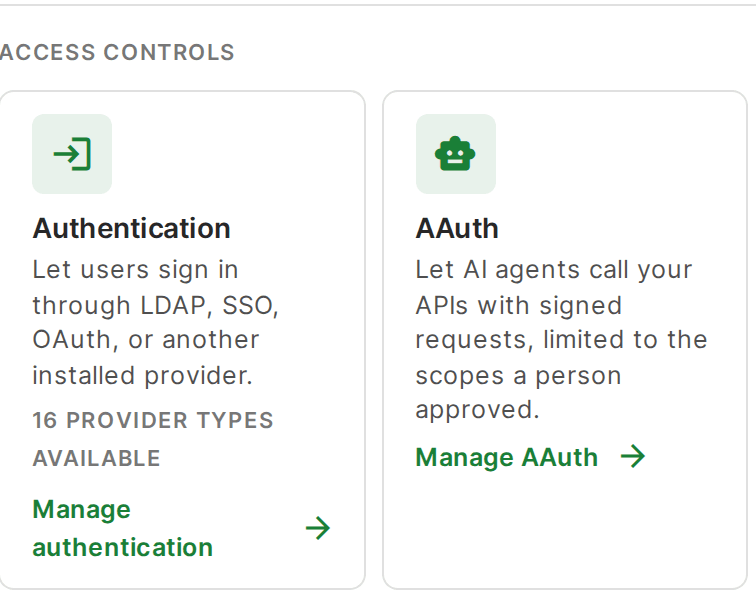
In the sidebar, open Security, then AAuth. The Security overview page also has an AAuth card whose Manage AAuth link opens the same page.
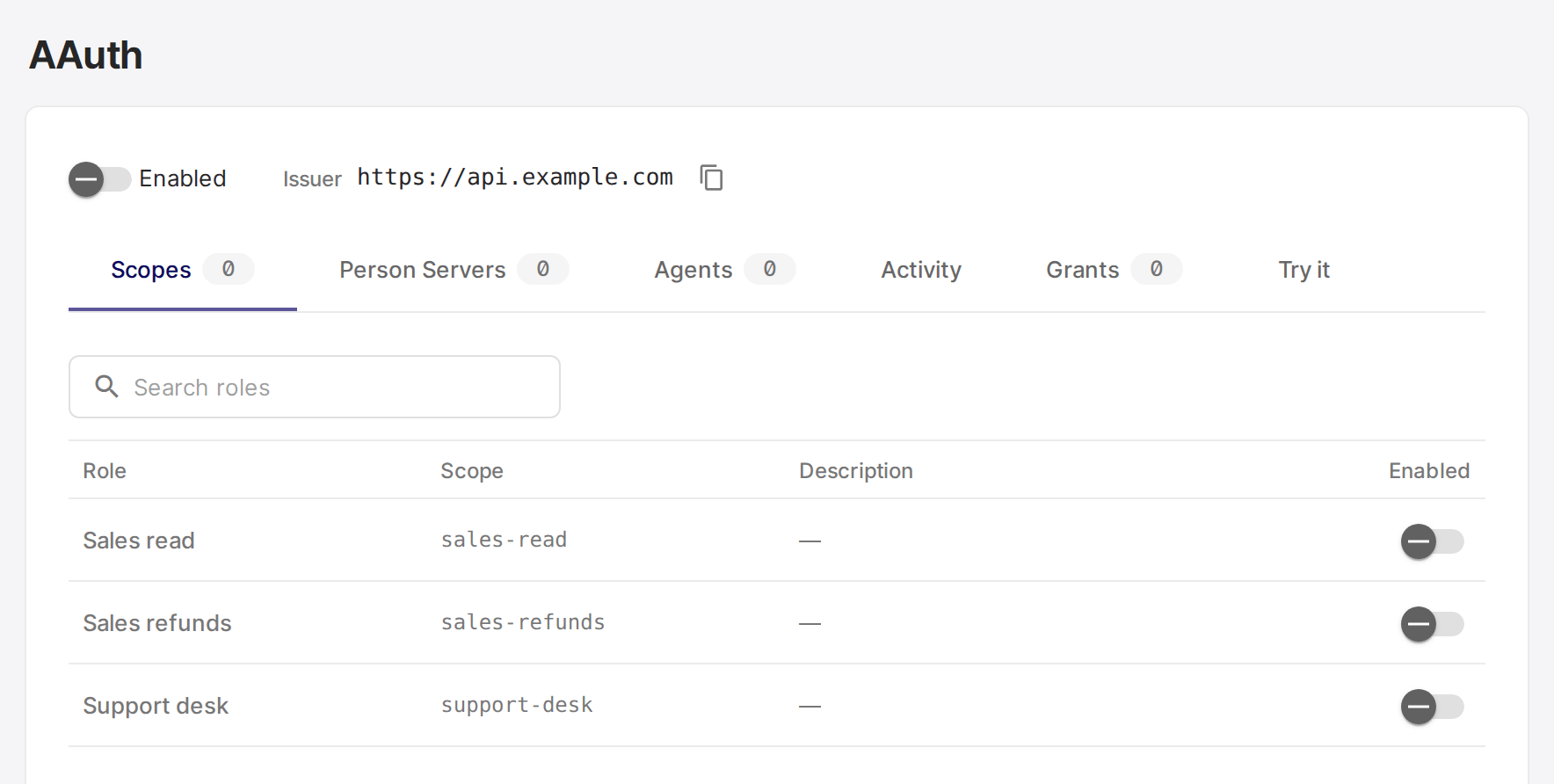
The AAuth page opens on the Scopes tab. At the top are the Enabled switch, which is off, and the Issuer, https://api.example.com, with a copy button. Below them are six tabs: Scopes, Person Servers, Agents, Activity, Grants and Try it. The Scopes tab lists every role, all of them disabled.
If the Enabled switch is greyed out and the page reads Set DF_AAUTH_ISSUER to an https URL, DreamFactory has no valid issuer. Set it first, as described in Choose the issuer.
If Security > AAuth shows the upgrade page instead, see Check for the package.
2. Switch AAuth on
Click the Enabled switch. A toast reads AAuth is on, and an icon next to the issuer now opens the resource metadata, https://api.example.com/.well-known/aauth-resource.json.
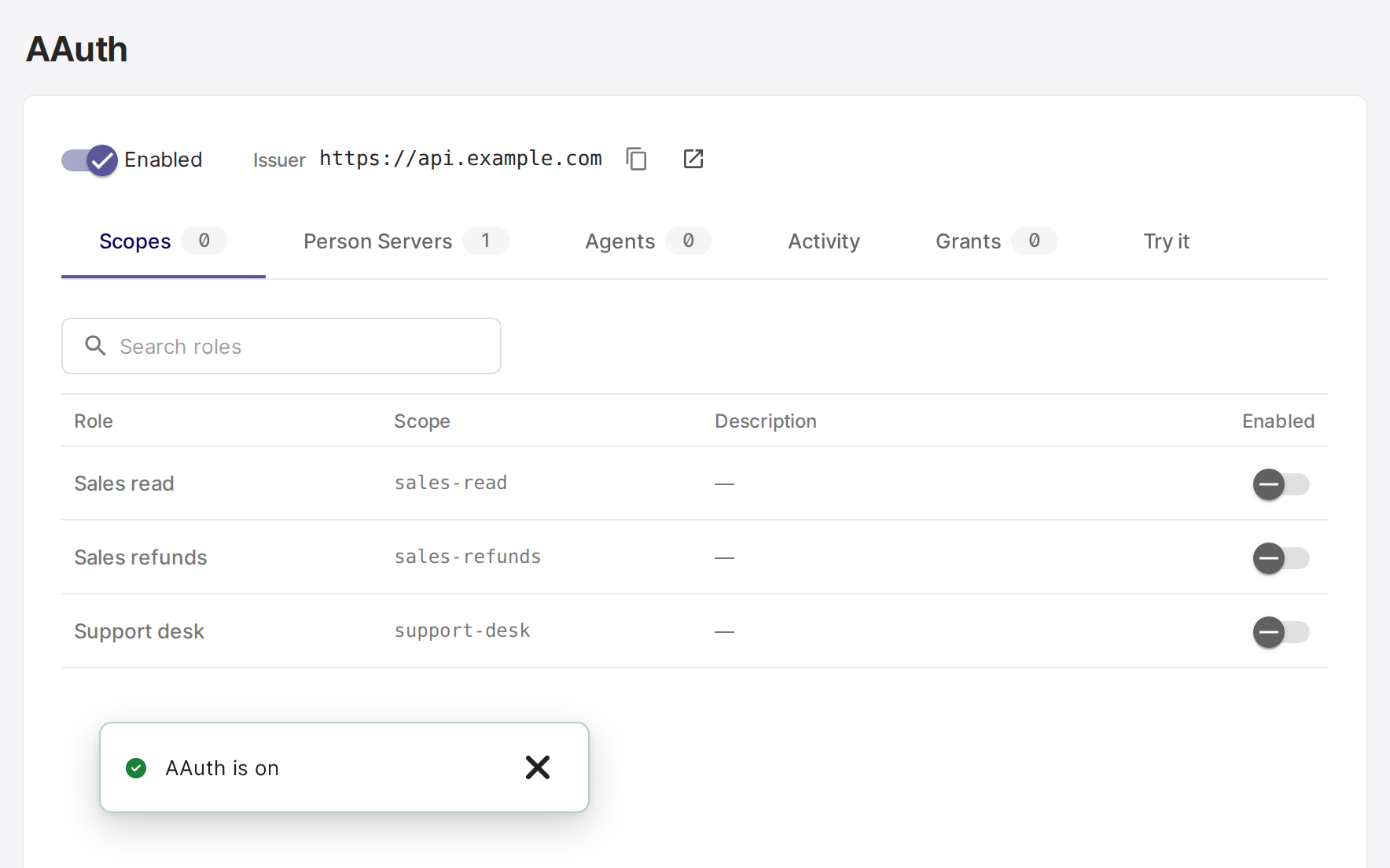
The first time you switch AAuth on, DreamFactory creates its signing keys, lists itself as This DreamFactory on the Person Servers tab, and adds an app named aauth ("AAuth agent sessions") to your API keys. Agent sessions run under that app. It has no role, so its API key alone reaches none of your data; leave it in place. The details are in Turn AAuth on.
Callers that use API keys or session tokens are not affected. Agents still cannot reach any data, because no role is offered as a scope yet.
3. Offer a role as a scope
The Scopes tab lists every role with a default scope name made from the role name: Sales read becomes sales-read. Give the role a clearer scope name and a description, then enable it:
-
In the Sales read row, click the scope name
sales-read, replace it withsales.readand press Enter. The default name works too: the name is only the label agents ask for. Dotted names such assales.readare a common convention (see Scope names).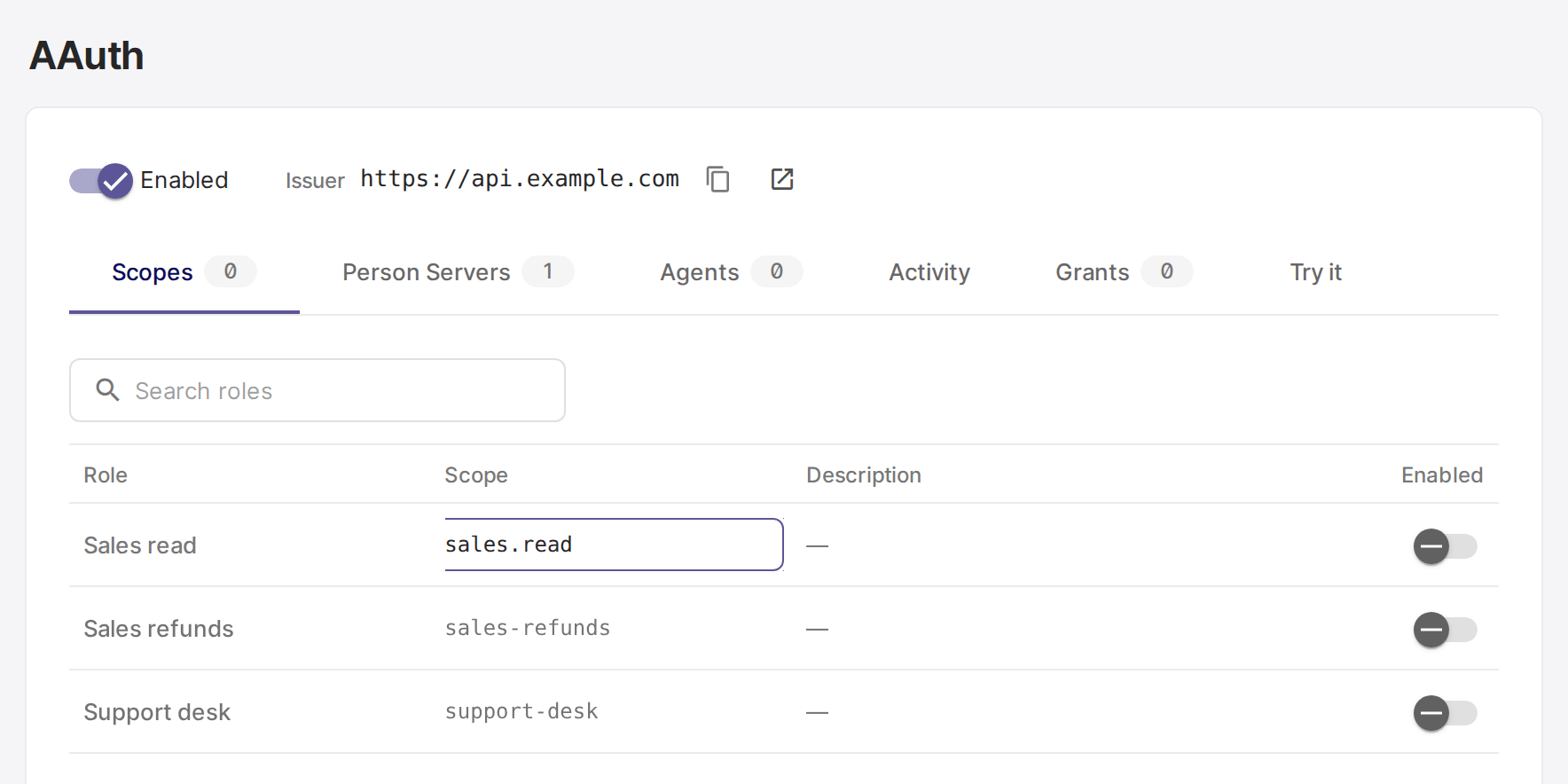
-
Click the Description cell of the same row, type
Read customers and ordersand press Enter. -
Switch Enabled on for the row.
The row now shows sales.read, "Read customers and orders" and Enabled on, and the Scopes tab label shows the number of enabled scopes, 1.
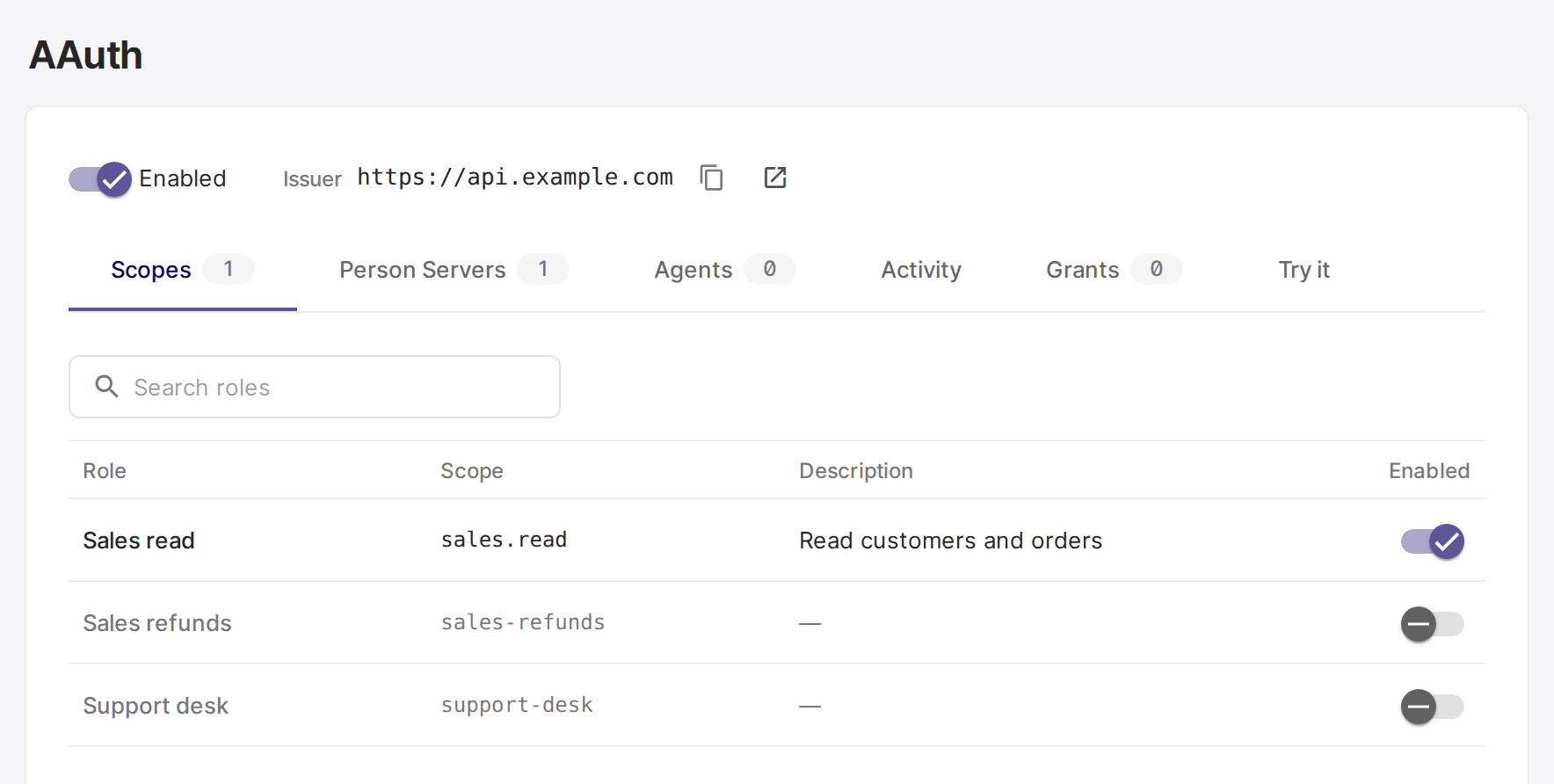
Two rules apply:
- A scope name has 1 to 64 characters: lowercase letters, digits and
. _ : -, starting with a letter or digit. Each name belongs to one role, andprofileandemailare reserved. - The description is what the approving person reads on the consent page, so write it for them. Without a description, people see the role name.
4. Send a request with Try it
Open the Try it tab. It opens with the method GET and the path /api/v2/sales/_table/orders?limit=5. If your service or table has another name, change the path to a GET that the role from step 3 allows, for example /api/v2/<service>/_table/<table>?limit=5. Then click Send.
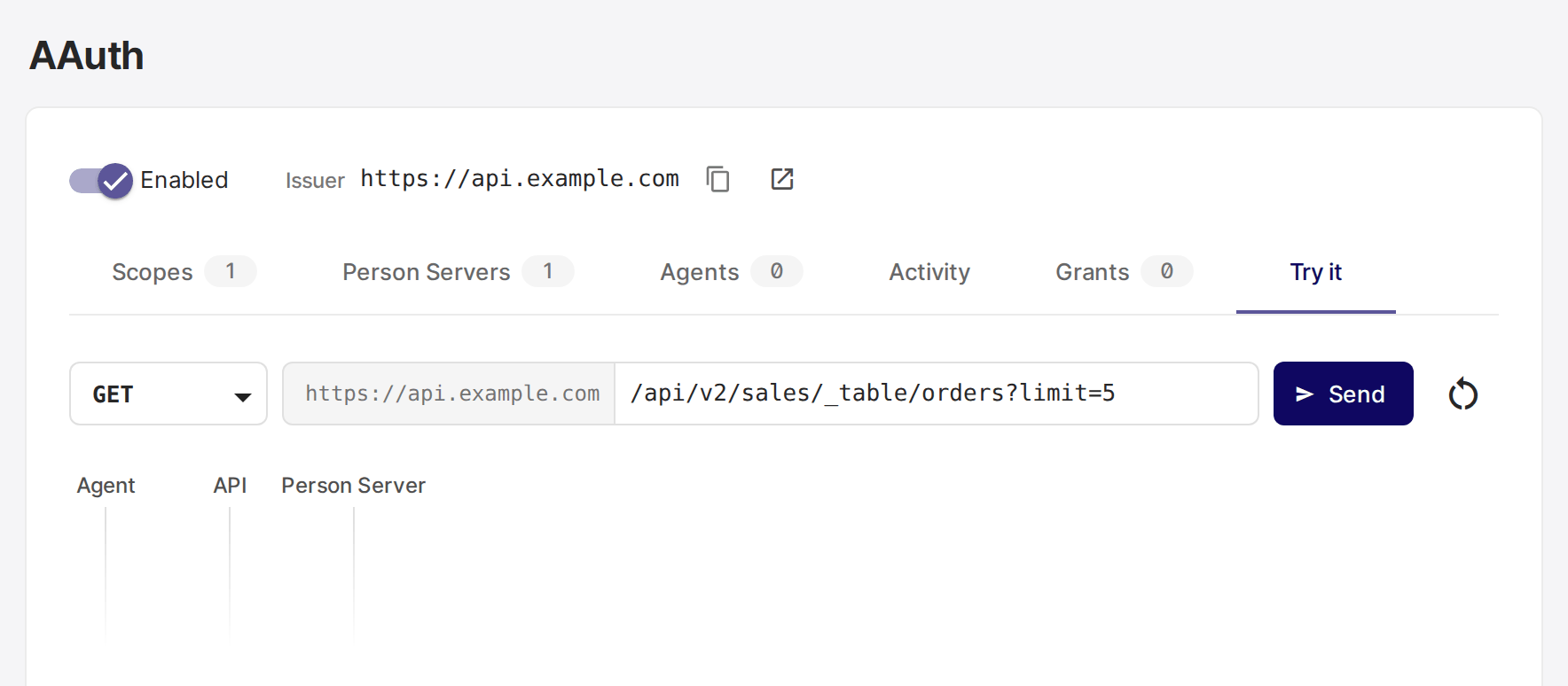
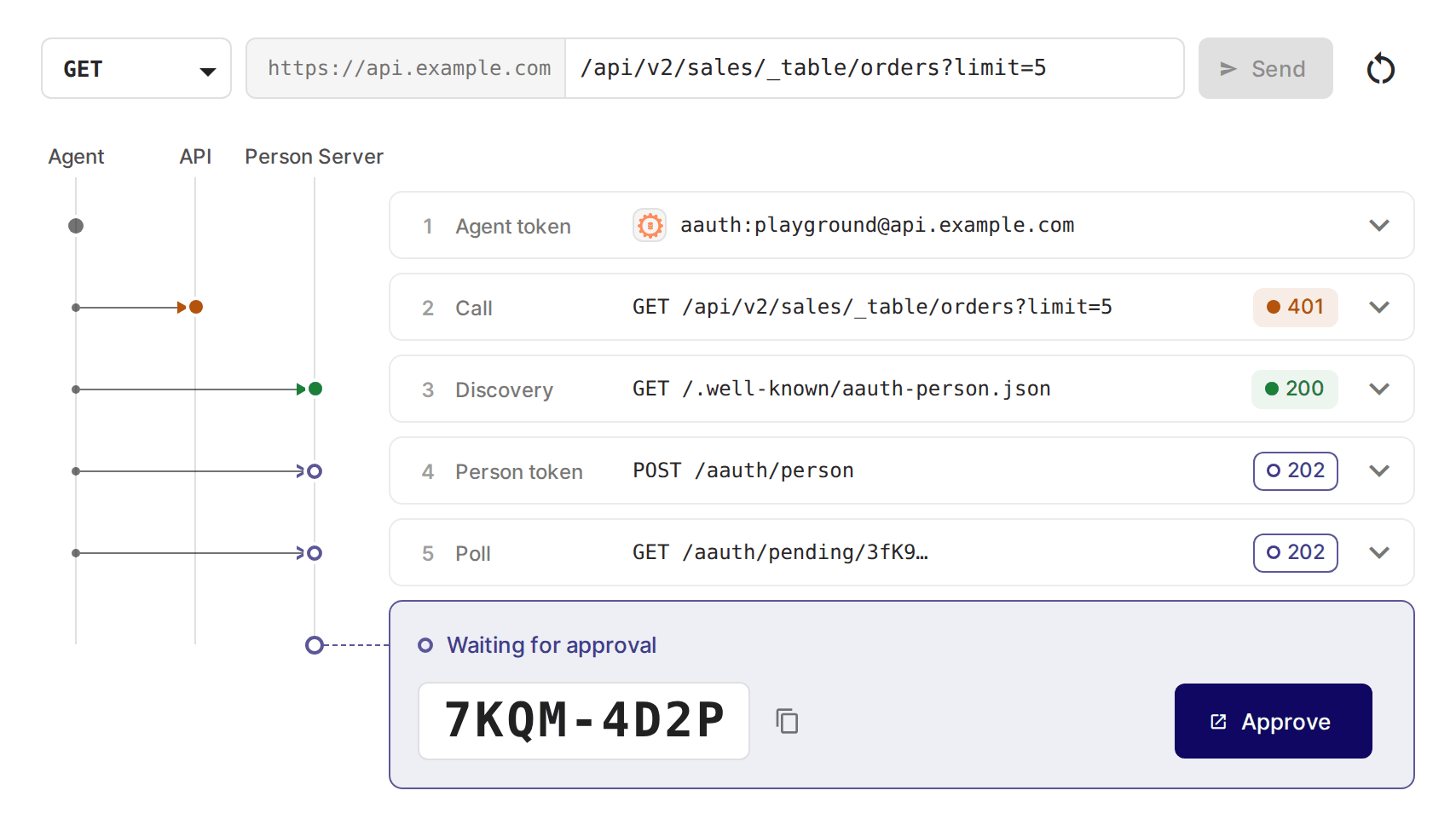
Try it runs a built-in agent named DreamFactory Playground, hosted by DreamFactory's own agent provider, and draws each HTTP exchange as a numbered row across three lanes: Agent, API and Person Server. The run draws four rows and then waits:
| Row | What happened |
|---|---|
Agent token aauth:playground@api.example.com | The agent received its agent token, which binds its agent id to its signing key. |
Call GET /api/v2/sales/_table/orders?limit=5, 401 | The agent had only its agent token, so DreamFactory asked for a person token (AAuth-Requirement: requirement=person-token). |
Discovery GET /.well-known/aauth-person.json, 200 | The agent read the person server's metadata. |
Person token POST /aauth/person, 202 | The person server accepted the request and returned a code. A person must approve it. |
A card on the Person Server lane reads Waiting for approval, with the code, a copy button and an Approve button. While the run waits, Try it polls the person server every 2 seconds, and the latest poll shows as a fifth row, Poll, with 202.
Send is disabled while AAuth is off and while a run is in progress. A Try it run makes at most six API calls. A request that nobody answers expires after 10 minutes by default, and the run then fails with Polling ended with HTTP 408 (expired).
5. Approve as a person
Leave the admin app on the AAuth page while you approve. The admin app moves the run forward by polling it every 2 seconds, and only while the AAuth page is open. Switching between the AAuth tabs keeps the run going. Leaving the AAuth page or reloading it removes the run from the screen; click Send to start a new one. After you click Continue as Admin, the consent page waits up to 2 minutes for the agent to come back. If the run did not move on in that time, the page shows Request expired: go back to Try it and approve the next request from its card.
-
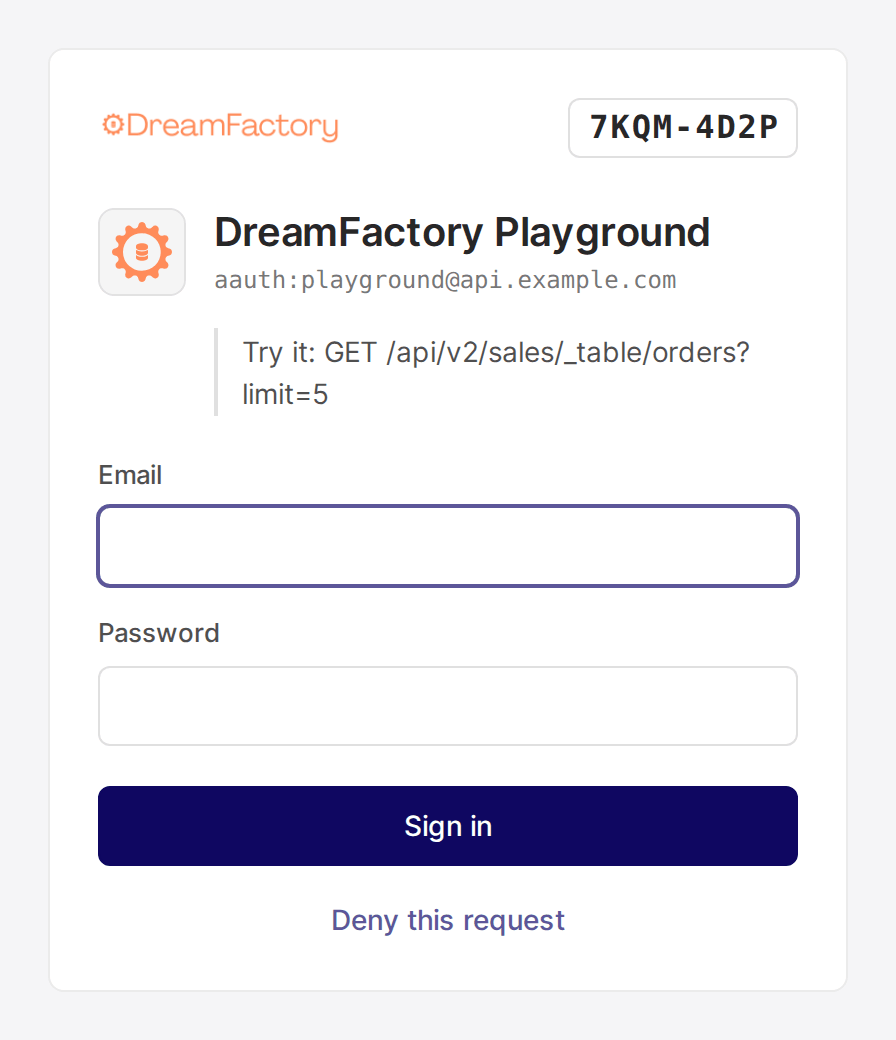
Click Approve. A new browser tab opens the consent page,
https://api.example.com/aauth/interact?code=followed by the code from the card. The page shows:- The agent's name, DreamFactory Playground. Agents choose their own names, so a name is self-asserted.
- Its verified agent id,
aauth:playground@api.example.com. - The agent's reason, set off as a quote:
Try it: GET /api/v2/sales/_table/orders?limit=5. - The code, at the top of the page.
- Deny this request, which refuses without signing in.
-
Enter your DreamFactory email and password and click Sign in.
-
The page asks you to confirm who the agent acts for. It shows the resource, DreamFactory at
api.example.com, your name and email, Not you? to switch accounts, Deny, and Continue as Admin (the button uses your first name). Signing in is never consent: you always choose. Click Continue as Admin.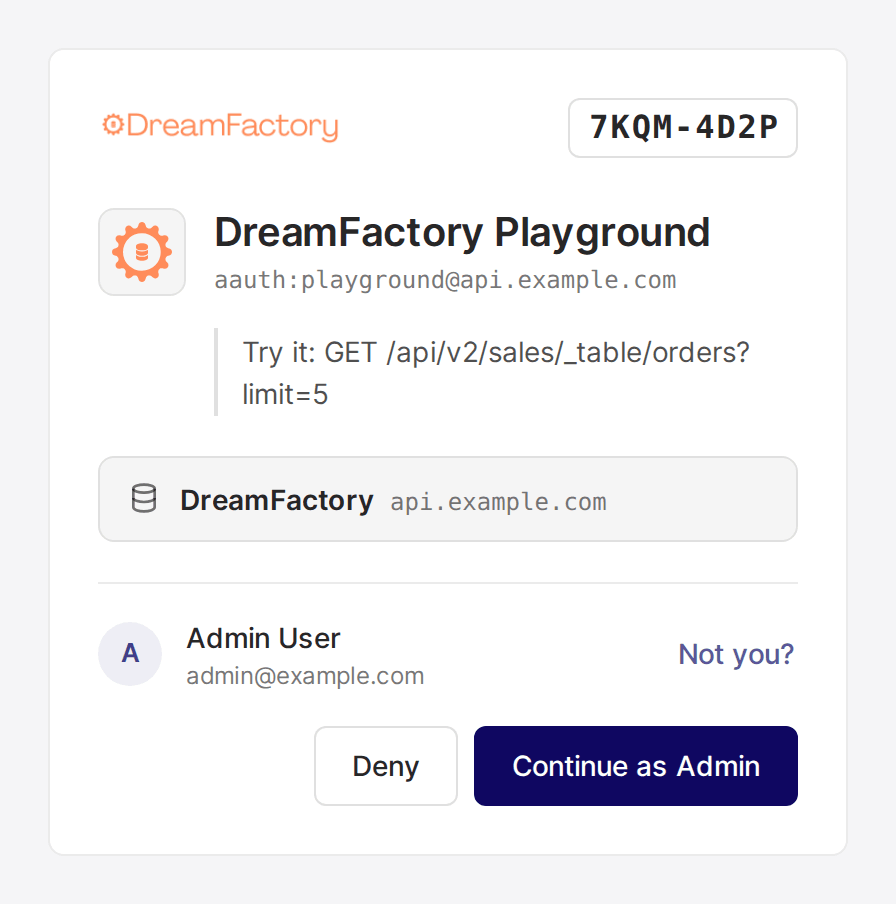
-
The page shows Waiting for the agent while Try it collects the person token and comes back for an auth token. Then it shows the consent card with the scope DreamFactory asked for: Read customers and orders,
sales.read, checked. The consent card shows a new code: asking for the auth token is a second request with its own code, and the Try it card shows it too. Leave Always allow unticked and click Allow.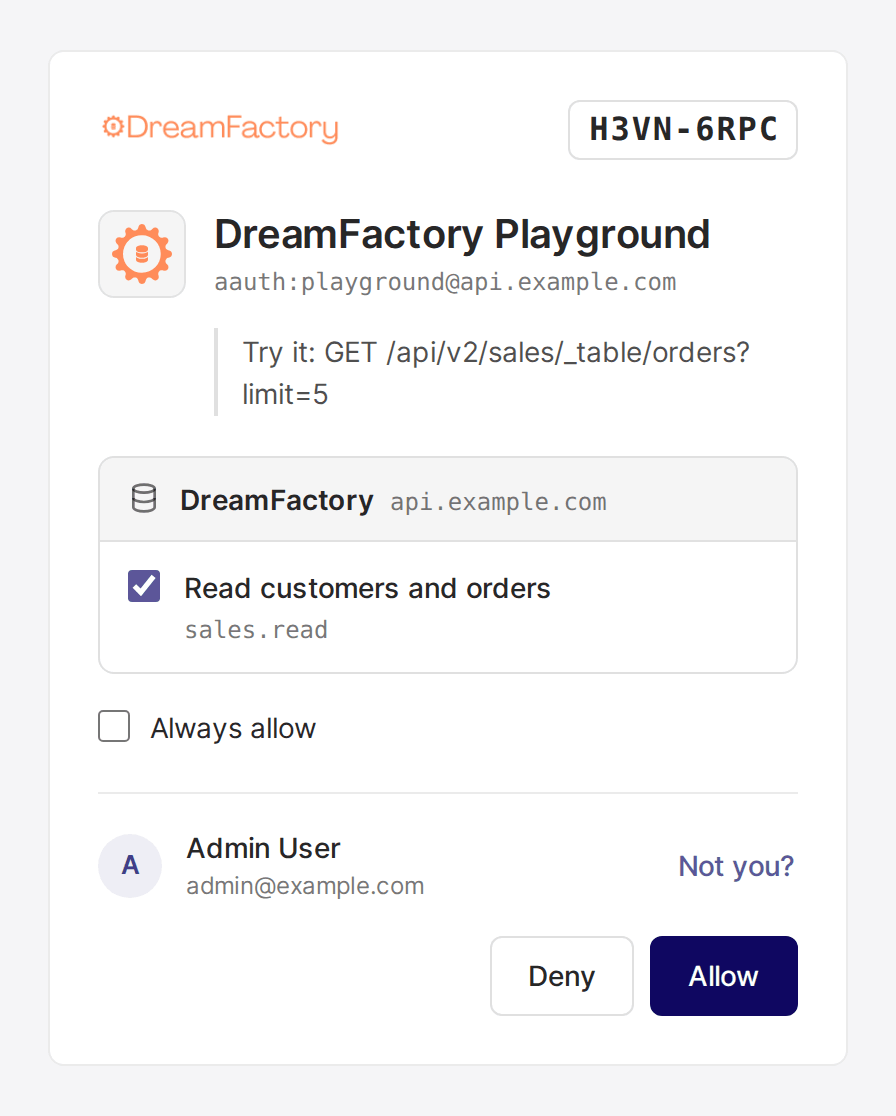
-
The page shows Approved. Close the tab.
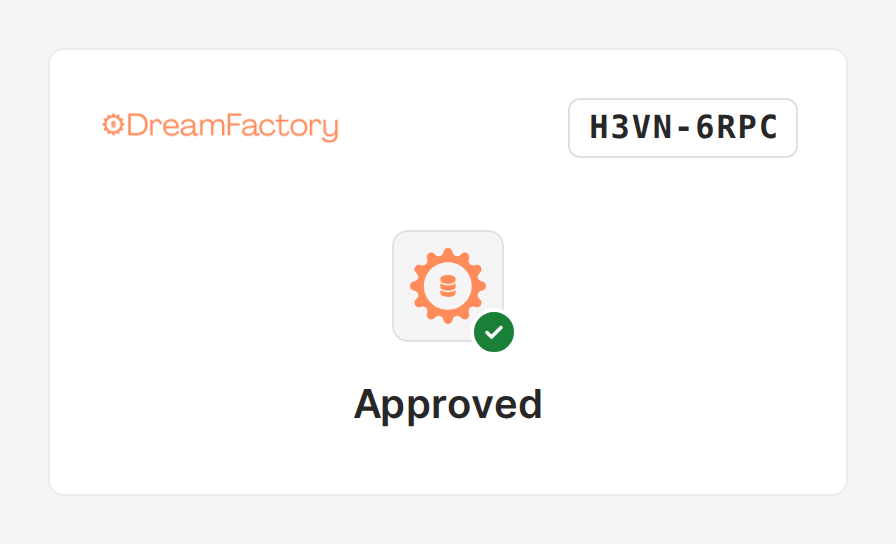
Any DreamFactory user who holds the Sales read role can approve this scope. As a sys admin you can approve any enabled scope, so to see the role check at work, approve as a user who is not a sys admin. See Who can approve a scope.
6. Read the result
Back on Try it, the run continues by itself:
| Row | What happened |
|---|---|
Poll, 200 | The person token arrived. This row replaces the waiting Poll row. |
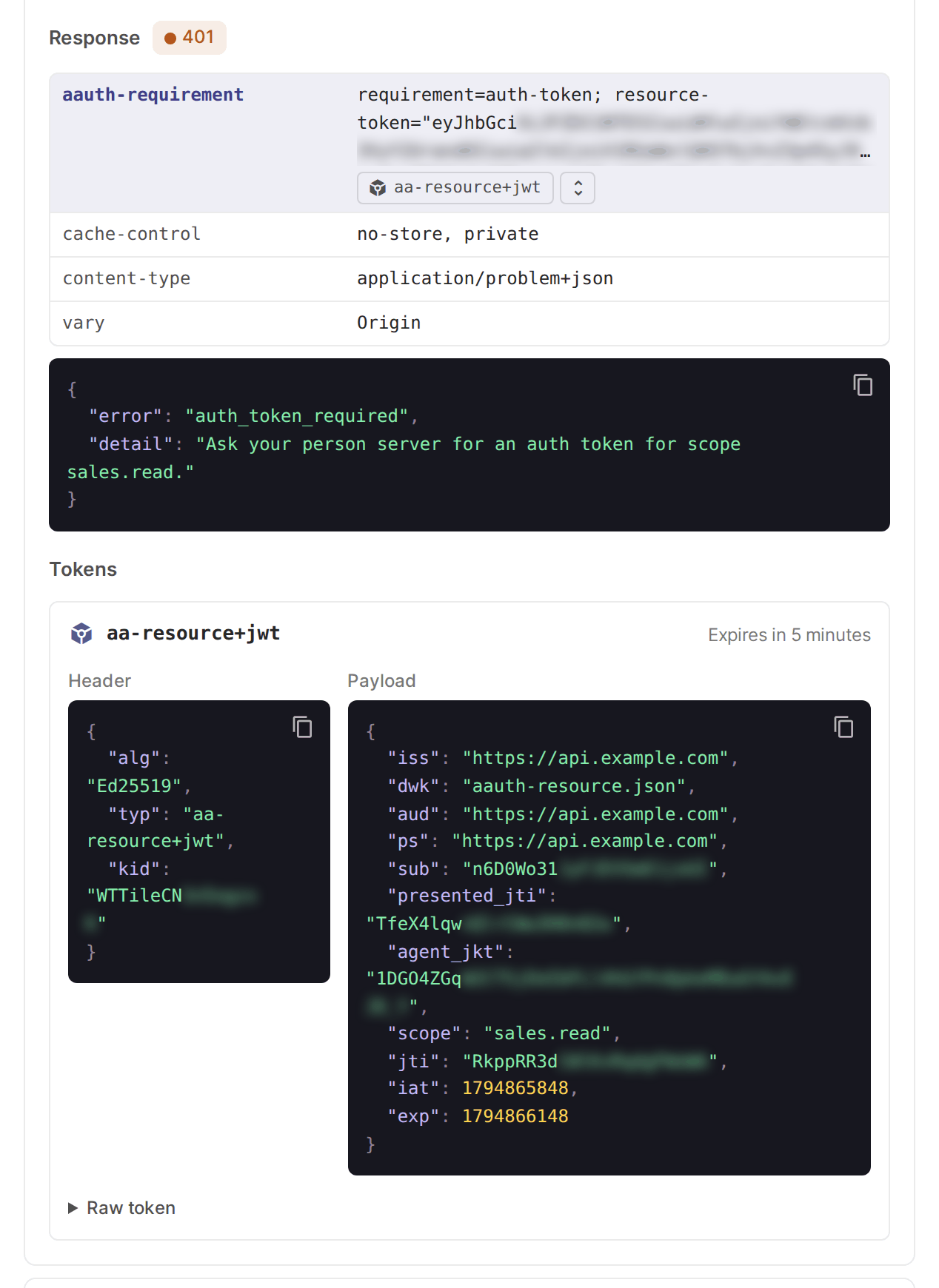
Call, 401 | The agent called with the person token. DreamFactory answered with AAuth-Requirement: requirement=auth-token and a resource token that asks for sales.read. |
Auth token POST /aauth/token, 202 | The agent asked the person server for an auth token, which you approved on the consent card. |
Poll, 200 | The auth token arrived. |
Call, 200 | The agent called with the auth token. DreamFactory ran the request under the Sales read role and added AAuth-Scope: sales.read to the response. |
The Response card at the end shows the status, 200, and the response body; scroll inside it to see all five orders.
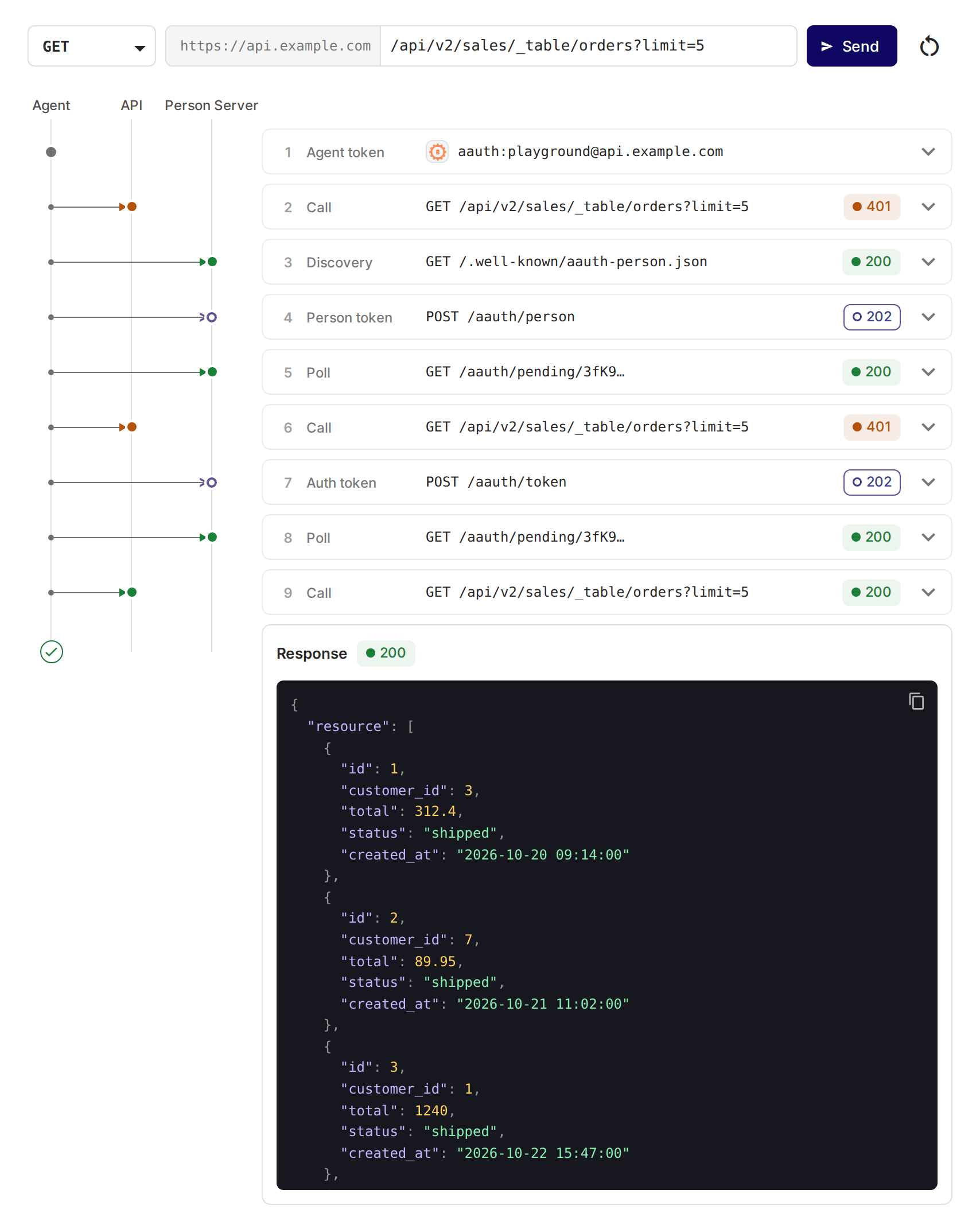
Click any row to open it. You see the request, the response with its headers and body, and the decoded tokens, each with a Header, a Payload and an expiry time; Raw token shows the encoded token. The 401 call that asked for an auth token shows the AAuth-Requirement header and the decoded resource token, whose scope is sales.read.
Now click Send again. This time a Cached tokens row follows the agent token, and the call returns 200 straight away, with no approval. Try it keeps its tokens per admin for up to an hour and reuses them while more than 5 minutes of their lifetime remain. To start from scratch, click Forget tokens, the circular arrow next to Send. The toast reads Tokens forgotten.
7. Check Activity and Agents
Open the Activity tab. It lists signed requests to the /api/v2 APIs, newest first, with the columns Time, Agent, Person, Scope, Request and Result. Your first run added three rows, plus one Allowed row for each later Send:
| Result | Scope | Person |
|---|---|---|
Allowed, 200 | sales.read | Your email address |
Auth token required, 401 | sales.read | Your email address |
Person token required, 401 | — | — |
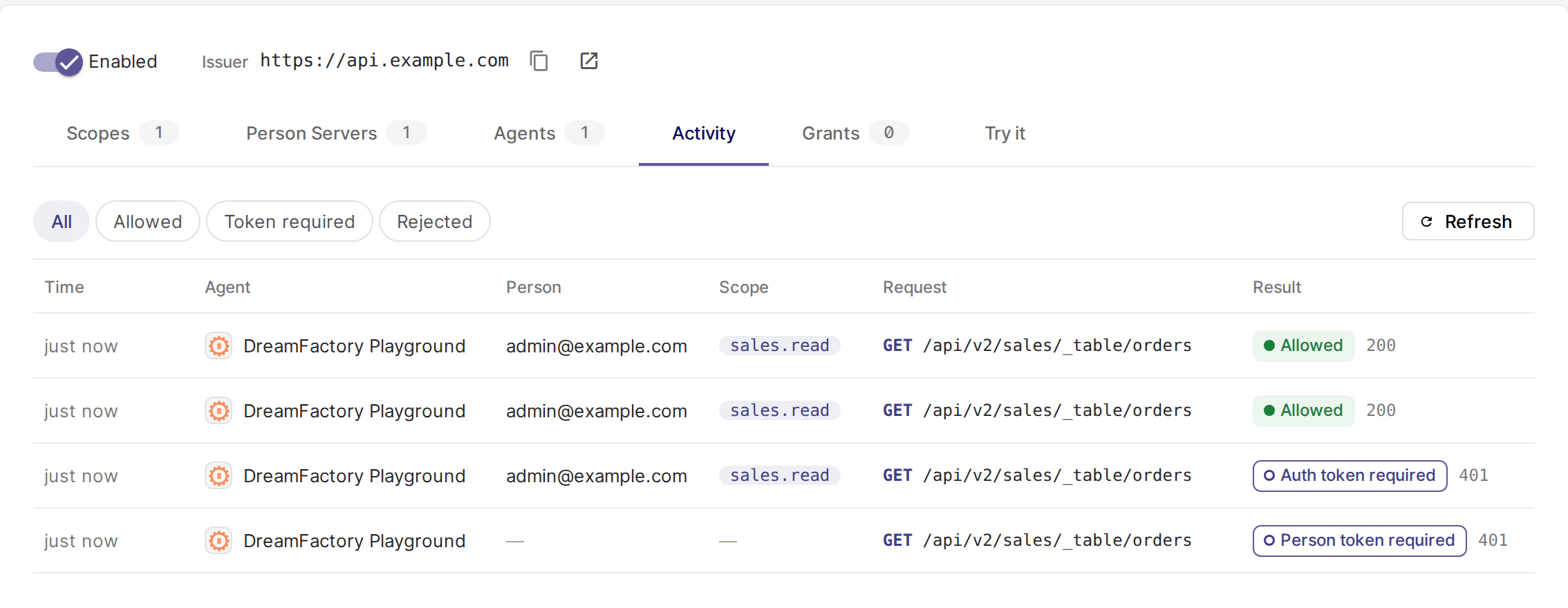
Activity is the first place to look when an agent fails: the Result and the reason under it say why a request was refused. Activity in Managing AAuth lists every result.
Open the Agents tab. DreamFactory Playground is listed with its provider, api.example.com, and the number of requests it made. Your own agents appear here the same way, on their first signed request.
8. Optional: step up to a second scope
A step-up happens when an agent's auth token does not cover a request: DreamFactory asks for a further scope, and the person approves it.
The PATCH in this step changes order 5 in your data. Run it against test data.
To see a step-up:
-
Create a role named Sales refunds, switch Active on, and set the description to Update order status. Under Access Overview, click + to add a row. Choose Service
sales, then Component_table/orders/*, and tick both GET (read) and PATCH (update) under Access. Requester staysAPI. This component covers both_table/ordersand single records such as_table/orders/5. -
On the Scopes tab, set the scope of Sales refunds to
sales.refund, set its description toUpdate order status, and switch it on. -
On Try it, choose PATCH, set the path to
/api/v2/sales/_table/orders/5, type{"status": "refunded"}in Body, and click Send. With your own service, use a PATCH that the role from step 1 allows, for example/api/v2/<service>/_table/<table>/<id>.The run starts from your cached tokens. The call returns
401with the errorinsufficient_scopeand a new resource token, because thesales.readauth token does not allow a PATCH. Try it reads the person server metadata again (a Discovery row), asks for an auth token and waits for approval.noteIf you clicked Forget tokens in step 6, or the cached tokens have less than 5 minutes left, the run first asks for a person token as in step 5, and the consent card then lists only
sales.refund.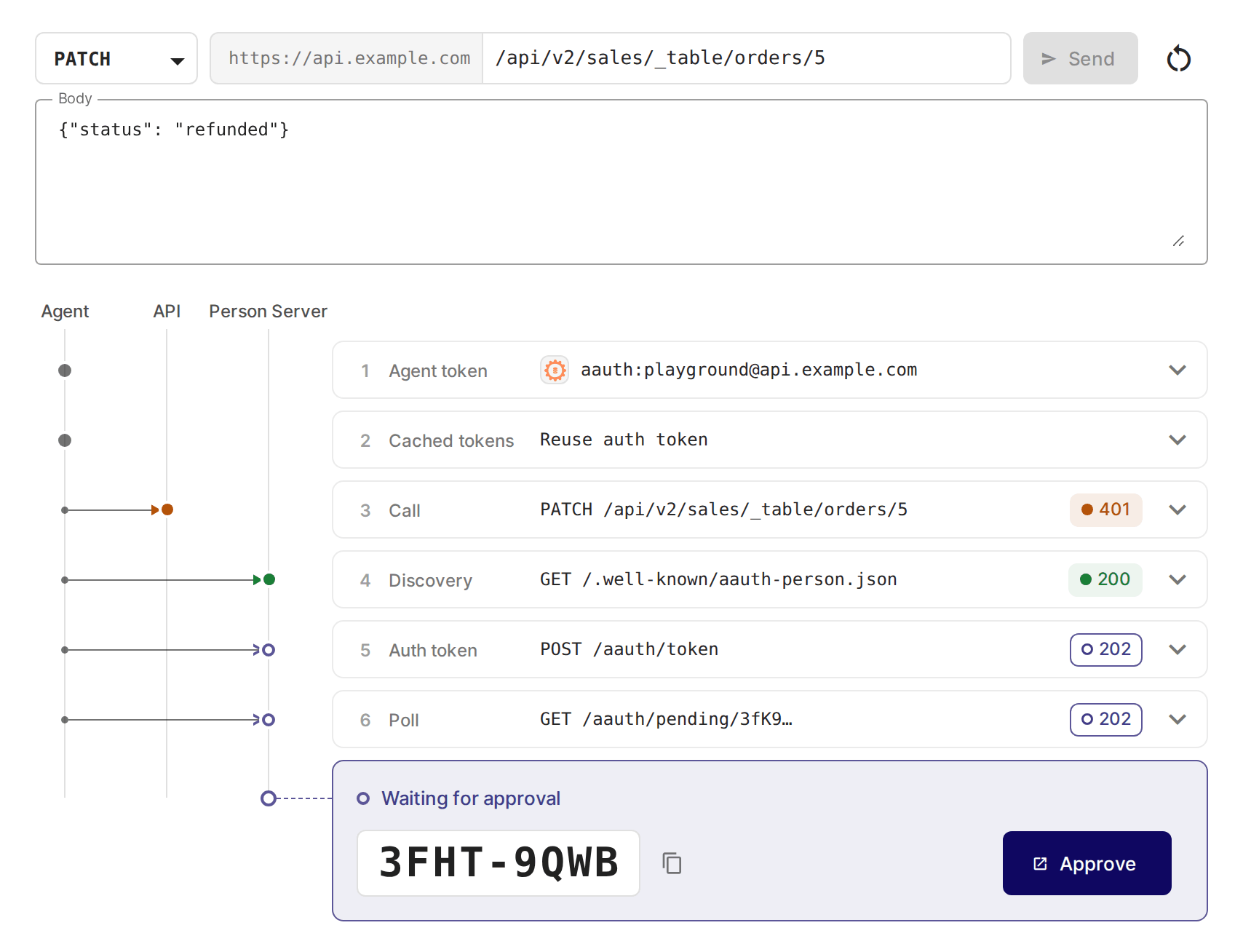
-
Click Approve. If you are still signed in to the consent pages in this browser, the consent card opens directly; otherwise, sign in first. The card lists both scopes:
sales.read, which the agent already holds, and the newsales.refund. Click Allow.
The run continues, and the PATCH returns 200 with AAuth-Scope: sales.refund. The agent's new auth token carries both scopes. For each request, DreamFactory uses the least privileged one that allows it, so a GET on orders still runs as sales.read.
Next steps
- Building an Agent with the AAuth Clients: give your own agent an identity and call DreamFactory with it
- Approving Agents with Company Sign-In: let people approve with LDAP, Active Directory or single sign-on
- Managing AAuth: every tab of Security > AAuth in detail
- Troubleshooting AAuth: what to do if a step failed